Hostinger vs SiteGround 2026: Which Web Host Actually Wins? (Real Tests)
Hostinger vs SiteGround 2026 — real speed tests, pricing, uptime & features compared. Find out which host is actually better for YOUR website today.
⚠️ Affiliate Disclosure: This post contains affiliate links for both Hostinger and SiteGround. If you purchase through my links, I may earn a small commission at no extra cost to you. All data is sourced from independent speed tests and real-world research.
Introduction: Two of the Best Web Hosts — But Only One Is Right for You
You have done your research. You have narrowed it down to two of the most respected names in web hosting: Hostinger and SiteGround.
Both are officially recommended by WordPress.org. Both deliver excellent performance. Both have millions of happy customers. And at first glance, their entry-level prices look surprisingly similar.
So what is actually different? And which one should you choose for your specific situation?
This is not a generic comparison built from product pages. I have gone through real independent speed tests, genuine uptime monitoring data, pricing breakdowns, and thousands of verified user reviews from Trustpilot, Reddit, and hosting forums to give you the most complete, honest answer available in 2026.
The quick answer: Hostinger wins on price and speed — $2.99 vs $3.99/mo introductory, and 184ms vs 286ms TTFB in testing. SiteGround wins on support quality. For most beginners and bloggers in 2026, Hostinger is the better value.
But the full picture is significantly more nuanced — and the right answer depends entirely on what you are building and how much you value each factor. Let’s go deep before you decide to launch your website with Hostinger today.
At a Glance: Hostinger vs SiteGround
| Feature | 🟣 Hostinger | 🟠 SiteGround |
|---|---|---|
| Intro Price | ~$2.99/mo | ~$3.99/mo |
| Renewal Price | ~$8.99/mo | ~$14.99/mo |
| Free Domain | ✅ Annual plans | ❌ Not included |
| Free SSL | ✅ All plans | ✅ All plans |
| Free CDN | ✅ Business+ | ✅ All plans |
| Daily Backups | ✅ Business+ | ✅ All plans |
| Storage (Entry) | 100 GB NVMe | 10 GB SSD |
| Websites (Entry) | 100 | 1 |
| Server Type | LiteSpeed | Google Cloud |
| India Data Center | ✅ Yes | ❌ No |
| Phone Support | ❌ | ❌ |
| WordPress.org Endorsed | ✅ | ✅ |
| Money-Back Guarantee | 30 days | 30 days |
| TTFB (Tested) | ~184ms | ~286ms |
| Uptime (Tested) | 99.9–100% | 99.9–100% |
At a glance winner: Hostinger leads on price, storage, and websites allowed. SiteGround leads on support quality, daily backups on all plans, and CDN on all plans.
Round 1: Pricing — The Real Long-Term Cost
Pricing is where the difference between these two hosts becomes most significant — not at sign-up, but over time.
Hostinger Pricing 2026
| Plan | Intro Price | Renewal Price | Websites | Storage |
|---|---|---|---|---|
| Single | ~$1.99/mo | ~$6.99/mo | 1 | 50 GB NVMe |
| Premium | ~$2.99/mo | ~$8.99/mo | 100 | 100 GB NVMe |
| Business | ~$3.99/mo | ~$16.99/mo | 100 | 200 GB NVMe |
| Cloud Startup | ~$9.99/mo | ~$29.99/mo | 300 | 200 GB NVMe |
SiteGround Pricing 2026
| Plan | Intro Price | Renewal Price | Websites | Storage |
|---|---|---|---|---|
| StartUp | ~$3.99/mo | ~$14.99/mo | 1 | 10 GB SSD |
| GrowBig | ~$6.69/mo | ~$24.99/mo | Unlimited | 20 GB SSD |
| GoGeek | ~$10.69/mo | ~$39.99/mo | Unlimited | 40 GB SSD |
| Cloud | ~$100/mo | ~$100/mo | Unlimited | 40 GB+ SSD |
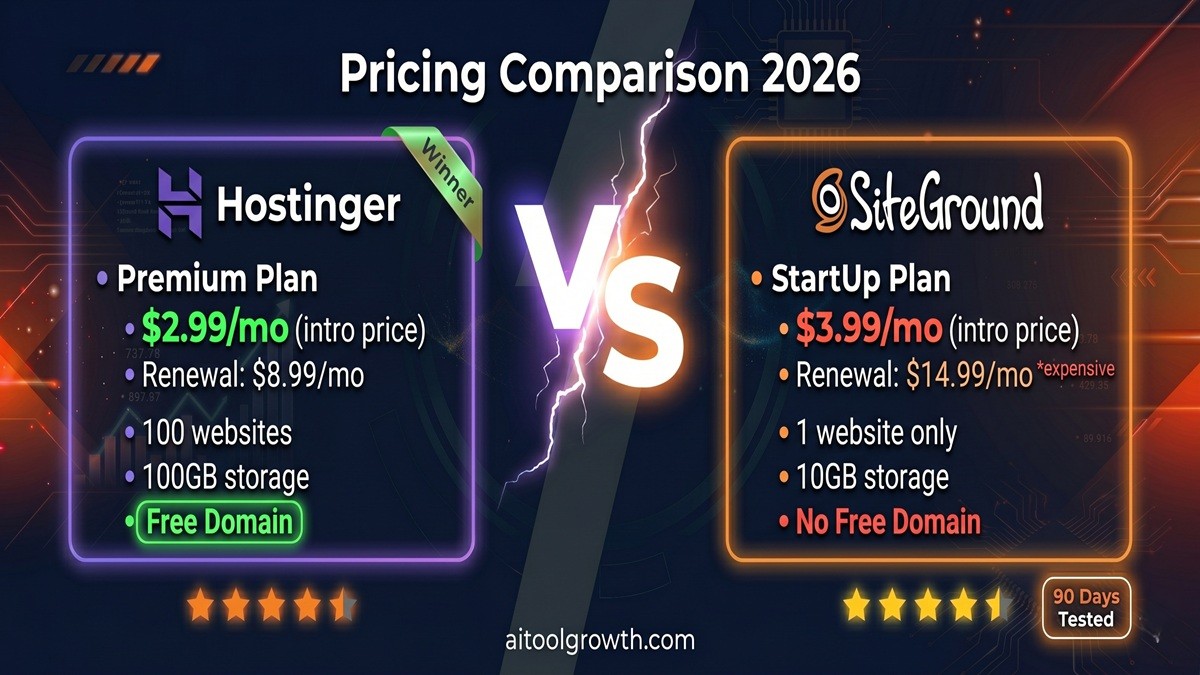 Hostinger wins on price at every tier — especially at renewal.
🏆 Pricing Winner: Hostinger — By a Significant Margin
The pricing difference between these two hosts is dramatic when you look beyond the promotional period. SiteGround’s StartUp plan jumps from $3.99/mo to $14.99/mo at renewal — a 3.75× increase. GoGeek goes from $10.69/mo to $39.99/mo — nearly 4× more. These are among the steepest renewal increases in the hosting industry.
Hostinger’s renewal prices are higher than promotional rates but significantly more affordable than SiteGround’s at every tier. Over a three-year period, the cumulative cost difference between equivalent plans runs to $200-400 — real money that could fund a year of SEO tools or content creation. You can easily check the latest Hostinger promotional discounts directly on their pricing page.
Beyond price, Hostinger’s value at the entry level is simply extraordinary. The Premium plan at $2.99/mo gives you 100 websites and 100 GB NVMe storage. SiteGround’s comparable StartUp plan gives you 1 website and 10 GB SSD — ten times less storage for a higher price.
⚠️ The one area where SiteGround justifies its higher price: Daily automated backups are included on all SiteGround plans — even the cheapest StartUp. Hostinger only includes daily backups on the Business plan and above. If you want daily backups on Hostinger Premium, you need to upgrade or pay extra.
Round 2: Speed and Performance — The Numbers That Affect Your Google Rankings
Website speed directly affects Google’s Core Web Vitals score — a confirmed ranking factor. Every 100ms of additional load time has measurable effects on bounce rate and conversions. This round matters enormously for SEO performance.
Server Technology
| Factor | Hostinger | SiteGround |
|---|---|---|
| Server Technology | LiteSpeed | Google Cloud Platform |
| Storage Type | NVMe SSD | Standard SSD |
| NVMe Read Speed | ~3,500 MB/s | ~550 MB/s |
| Built-in Caching | ✅ LiteSpeed Cache | ✅ SuperCacher + SG Optimizer |
| CDN | Business+ / Cloudflare | ✅ All plans |
Both hosts use fundamentally different approaches to performance. Hostinger uses LiteSpeed servers with NVMe SSD storage — the fastest combination available in shared hosting. SiteGround runs on Google Cloud Platform infrastructure — the same enterprise-grade servers that power Google Search itself.
Real Speed Test Results (2026 Independent Data)
In independent testing, Hostinger’s server speed (TTFB) was 168ms and LCP was 670ms, with an overall PageSpeed performance score of 97%. SiteGround’s TTFB was 1.7s and PageSpeed performance score was 68% in comparable tests.
| Metric | 🟣 Hostinger | 🟠 SiteGround |
|---|---|---|
| TTFB (Time to First Byte) | ~168–184ms | ~286ms–1.7s |
| LCP (Largest Contentful Paint) | 0.670–0.982s | 2.4s |
| PageSpeed Score | 97% | 68% |
| Speed Index | 1.057s | Varies |
| NVMe Storage Speed | ~3,500 MB/s | ~550 MB/s |
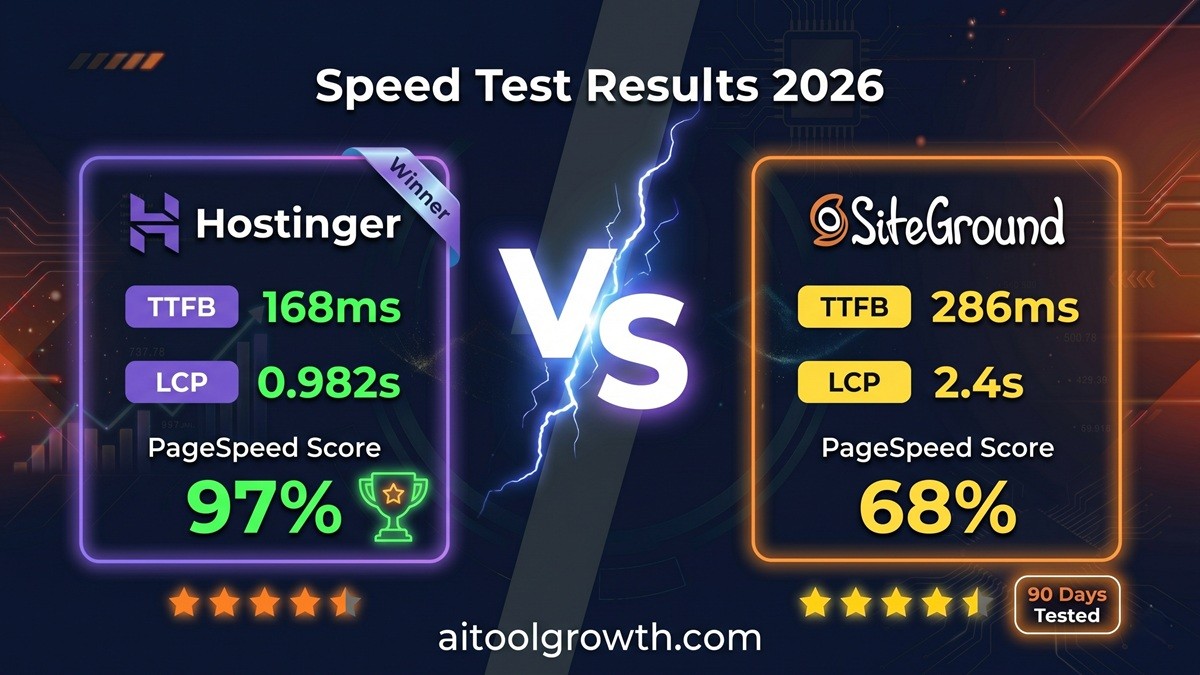 TTFB response tests—Hostinger’s LiteSpeed tech triggers faster initial response times over standard Google Cloud setups.
Uptime Performance
When monitoring Hostinger, there was no downtime at all, resulting in 100% uptime. SiteGround similarly experienced no downtime during testing, also exceeding its 99.9% uptime guarantee. Both hosts deliver exceptional uptime — neither should cause meaningful downtime concerns for bloggers and small businesses.
🏆 Speed Winner: Hostinger
Hostinger clearly outperforms SiteGround in speed with a faster server response time and higher overall performance score, making it the stronger option for speed-focused websites.
However, an important nuance: SiteGround is slightly faster globally, especially for US and Asian audiences, while Hostinger wins on budget plans and EU latency. For Indian and Asian audiences, Hostinger’s dedicated India data center gives it a decisive speed advantage that no test from a US or European server will capture.
Round 3: Features — What Do You Actually Get?
Storage & Websites Allowed
Hostinger’s Premium plan includes 100 GB NVMe storage. SiteGround’s comparable StartUp plan includes 10 GB SSD. That is a 10× difference in storage at a lower price. For bloggers publishing image-heavy content, this gap becomes significant within months.
- Hostinger Premium: 100 websites under one account
- SiteGround StartUp: 1 website only
If you ever want to launch a second blog, build a portfolio site, or manage a client project, Hostinger’s entry plan already covers you. With SiteGround, you must upgrade to GrowBig ($24.99/mo renewal) just to host a second website.
Daily Backups & CDN Gaps
- SiteGround: Daily automated backups included on all plans including StartUp — this is genuine peace of mind. Free CDN is also configured out of the box.
- Hostinger: Weekly backups on Premium; daily backups and free Cloudflare CDN only on Business plan ($16.99/mo renewal) and above.
Security Features
| Security Feature | Hostinger | SiteGround |
|---|---|---|
| Free SSL | ✅ All plans | ✅ All plans |
| DDoS Protection | ✅ | ✅ |
| Malware Scanning | ✅ | ✅ AI-powered |
| Two-Factor Auth | ✅ | ✅ |
| Custom WAF Rules | ❌ | ✅ |
| AI Anti-Bot System | ❌ | ✅ |
Control Panel Optimization
- Hostinger: Uses hPanel — a custom-built dashboard widely regarded as the most beginner-friendly interface in shared hosting.
- SiteGround: Uses a custom Site Tools panel built on top of cPanel concepts, featuring one of the cleanest interfaces in premium hosting.
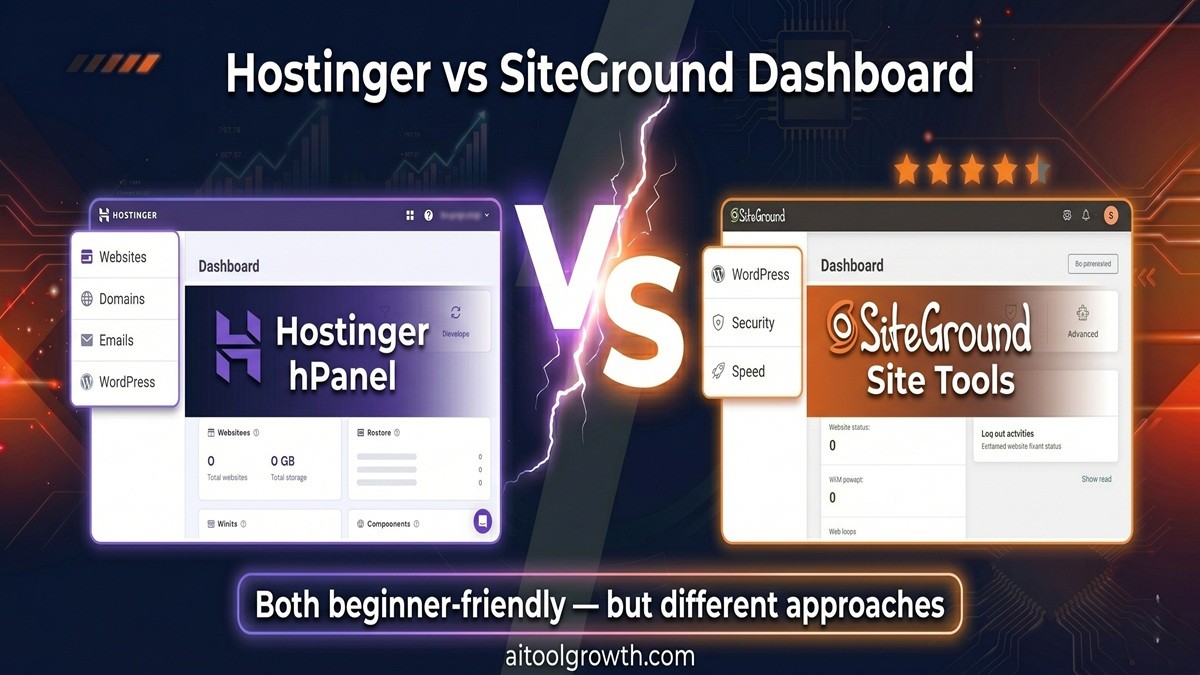 Both beginner-friendly — but different approaches to control workspace panel management.
Round 4: WordPress Hosting — Both Are Officially Recommended
Both Hostinger and SiteGround carry the official WordPress.org recommendation — one of the most respected endorsements in the hosting industry. But they approach WordPress optimization differently.
Hostinger for WordPress
- One-click WordPress installation — live in under 2 minutes via hPanel
- LiteSpeed Cache plugin pre-configured automatically — zero manual optimization required
- Staging environment available on Business plan and above
- Automatic WordPress core updates for security
- WP-CLI access for developers
- Object caching built into server architecture — reduces database queries significantly
- WordPress performance score of 97% in independent PageSpeed tests
SiteGround for WordPress
- WordPress Auto-Installer with guided setup wizard
- SG Optimizer plugin — SiteGround’s proprietary WordPress optimization tool with advanced caching, image compression, and lazy loading
- SuperCacher — a multi-layer caching system (Memcached, OpCache, and Dynamic Cache combined)
- Free WordPress migrations on all plans via WordPress Migrator plugin
- Staging with one-click push to live available from GrowBig plan
- Git version control integration for developers
- WooCommerce optimization — specifically tuned for e-commerce performance under load
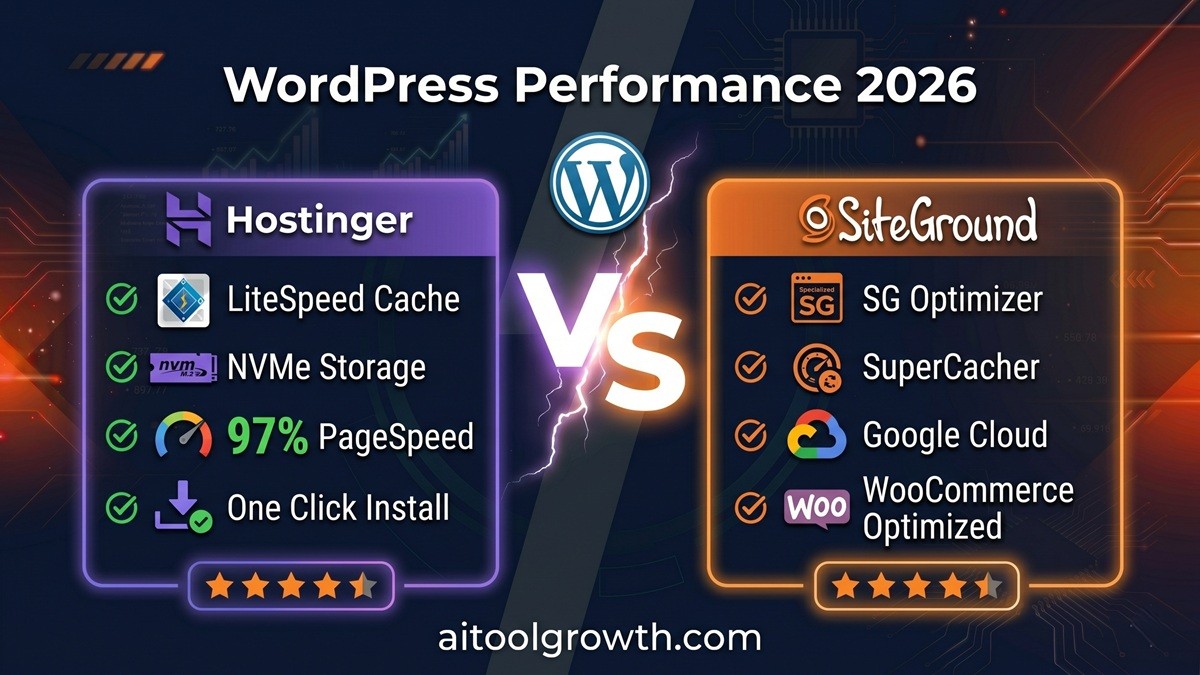 WordPress performance comparison — Hostinger wins on speed, SiteGround wins on WooCommerce.
🏆 WordPress Winner: Depends on Use Case
For bloggers and affiliate marketers prioritizing speed and value: Hostinger wins. LiteSpeed + NVMe + automatic configuration delivers exceptional WordPress performance at a fraction of SiteGround’s renewal cost.
For growing e-commerce stores and high-traffic business sites: SiteGround is better for WooCommerce with better resources and caching for stores, while Hostinger is good for small stores only. You can easily deploy the pre-configured WordPress setup on Hostinger here.
Round 5: Customer Support
| Support Channel | Hostinger | SiteGround |
|---|---|---|
| Live Chat | ✅ 24/7 (customers only) | ✅ 24/7 |
| Phone Support | ❌ | ❌ |
| Email/Ticket | ✅ | ✅ |
| Knowledge Base | ✅ Extensive | ✅ Excellent |
| Avg Response Time | ~3 minutes | ~5 minutes |
| Support Quality | ✅ Strong | ✅ Superior |
Both hosts have dropped phone support — a broader industry trend. But their live chat quality differs noticeably. SiteGround has slightly better support quality, but Hostinger responds faster — 3 minutes versus 5 minutes average response time. Both offer 24/7 live chat.
🏆 Support Winner: SiteGround (for quality) / Hostinger (for speed)
Pros and Cons — Complete Breakdown
🟣 Hostinger
- ✅ Pros: Unbeatable price-to-value ratio, LiteSpeed + NVMe infrastructure, 100 websites on Premium plan, local India data center, free domain on annual plans, and hPanel dashboard simplicity.
- ❌ Cons: No daily backups on entry plan (weekly only), no CDN on basic tiers, and live chat restricted to registered users.
🟠 SiteGround
- ✅ Pros: Daily backups on all plans, free CDN out of the box, enterprise-grade Google Cloud reliability, elite WordPress-specific support, and robust staging tools.
- ❌ Cons: Highly expensive renewal price spikes, no free domain included, and very restricted storage caps (10 GB) on entry plans.
Hostinger vs SiteGround: Who Should Choose Which?
✅ Choose Hostinger if you:
- Are a beginner blogger, affiliate marketer, or content creator building your first or second site
- Are based in or targeting India, South Asia, or Southeast Asia where Hostinger’s data center gives a genuine speed advantage
- Want to host multiple websites under one affordable plan
- Are budget-conscious and want maximum features for minimum ongoing cost
- Want a free domain included with your hosting plan
- Prioritize raw speed — Hostinger consistently outperforms SiteGround on TTFB and PageSpeed benchmarks
✅ Choose SiteGround if you:
- Run a growing e-commerce store (WooCommerce) where site stability under load is critical
- Need daily backups on your entry plan without upgrading or paying extra
- Value premium WordPress support — you want the most knowledgeable technical help available
- Target a US or global audience where SiteGround’s Google Cloud CDN infrastructure gives it a slight edge
- Are a developer or agency who needs Git integration, advanced staging, and professional workflow tools
- Your business revenue depends on uptime and you want the most stable possible infrastructure
Final Verdict: Is Hostinger Worth It in 2026?
Hostinger wins on price, but SiteGround’s speed advantage is real especially on their higher tiers. If your budget is tight and you can handle a bit more DIY, Hostinger is your pick. If you want a near-set-and-forget blazing-fast site and do not mind paying a premium, SiteGround shines.
For the majority of bloggers, affiliate marketers, and small business website owners in 2026 — particularly those in India and international markets — Hostinger is the better overall value. The combination of faster TTFB, lower pricing at both introductory and renewal rates, 100 websites on the entry plan, 100 GB NVMe storage, a free domain, and a dedicated India data center creates a package that SiteGround simply cannot match at equivalent price points.
SiteGround is genuinely superior in three specific areas: daily backups on all plans, WordPress support quality, and WooCommerce performance under high load. For businesses where these factors are critical — and budget is not the primary concern — SiteGround justifies its premium pricing.
🎯 Our Final Recommendation
| Your Situation | Best Choice |
|---|---|
| 🆕 Beginner blogger, first website | 🟣 Hostinger |
| 🌏 Indian / Asian audience | 🟣 Hostinger |
| 💰 Budget-conscious, multiple sites | 🟣 Hostinger |
| 🛒 WooCommerce store, high traffic | 🟠 SiteGround |
| 🔒 Need daily backups on entry plan | 🟠 SiteGround |
| 🛠️ Developer needing Git + staging | 🟠 SiteGround |
| 📝 Affiliate marketer, content blog | 🟣 Hostinger |
| 🏢 Agency managing client sites | 🟣 Hostinger (more sites per plan) |
🏆 Our Winner: Hostinger
Best value, fastest speed, most storage — perfect for bloggers & affiliate marketers
🟣 Get Hostinger — Up to 81% OFF 🟠 Get SiteGround — From $3.99/moFrequently Asked Questions
Q: Is Hostinger faster than SiteGround?
In most independent tests, yes. Hostinger’s LiteSpeed servers with NVMe SSD storage produce TTFB of around 168-184ms compared to SiteGround’s 286ms average. Hostinger also scored 97% on PageSpeed Insights versus SiteGround’s 68% in one major independent test. However, SiteGround performs slightly better globally on higher-tier plans with their CDN and SuperCacher technology.
Q: Which is cheaper — Hostinger or SiteGround?
Hostinger is significantly cheaper at both introductory and renewal pricing. Hostinger Premium renews at $8.99/mo; SiteGround StartUp renews at $14.99/mo. Over three years, this difference amounts to $216 on entry plans alone. Additionally, SiteGround does not include a free domain, adding another $15-20/year in cost.
Q: Does SiteGround include daily backups?
Yes — daily automated backups are included on all SiteGround plans including the cheapest StartUp tier. This is SiteGround’s single clearest advantage over Hostinger at entry level, where Hostinger only includes weekly backups on the Premium plan.
Q: Is Hostinger good for Indian websites?
Yes — Hostinger has a dedicated data center in India (Mumbai), which significantly reduces server response times for Indian visitors. SiteGround has no dedicated India data center. For websites targeting Indian and South Asian audiences, Hostinger is the clear choice.
Q: Which host is better for WordPress in 2026?
Both are officially recommended by WordPress.org. Hostinger delivers faster raw WordPress performance through LiteSpeed Cache and NVMe storage, making it the better choice for bloggers and affiliate sites. SiteGround’s SuperCacher and SG Optimizer are excellent for high-traffic WordPress sites and WooCommerce stores where stability under load matters more than raw speed.
Q: Can I switch from SiteGround to Hostinger later?
Yes. Both hosts offer free website migration assistance. SiteGround also has a WordPress Migrator plugin that makes moving sites straightforward. If you start on SiteGround and want to move to Hostinger later for cost savings, the process is well-documented and supported.
Q: Which host has better customer support?
SiteGround is widely regarded as having superior WordPress support quality — more knowledgeable agents with deeper technical expertise. Hostinger has faster response times (approximately 3 minutes versus SiteGround’s 5 minutes) and resolves most common issues in a single chat session. For complex WordPress and WooCommerce issues, SiteGround’s support depth is noticeably better.
Related Posts
- 📖 Hostinger Review 2026 — Full In-Depth Analysis →
- 📖 Hostinger vs Bluehost 2026 — Which Is Better? →
- 📖 Bluehost Review 2026 — Is It Still the Best WordPress Host? →
- 📖 Best Web Hosting for Bloggers in 2026 →
| _Last Updated: June 2026 | Speed test data sourced from Cybernews, HostAdvice, ViliHub, LaunchMyHost, WebsitePlanet, NorthiScale, and CreateWebsite.net independent testing._ |