Canva vs Adobe Express 2026: Which Design Tool Is Actually Better?
Canva vs Adobe Express 2026 — honest comparison of features, pricing, AI tools & templates. Find out which design tool is best for bloggers & creators today.
⚠️ Affiliate Disclosure: This post contains affiliate links for both Canva and Adobe Express. If you sign up through my links, I may earn a small commission at no extra cost to you. All opinions are based on independent research and real hands-on testing.
Introduction: Two Giants of Accessible Design — But Very Different Tools
You want to create professional visuals without hiring a designer. You have narrowed it down to two of the most popular design platforms on the internet: Canva and Adobe Express.
Both are accessible. Both have free plans. Both produce professional-looking output. And at first glance, they seem almost identical in purpose.
But here is the truth that most comparison posts miss: Canva and Adobe Express were built with fundamentally different philosophies — and once you understand that difference, the right choice for your specific situation becomes obvious.
Canva was built for everyone — 170 million users creating social posts, presentations, marketing materials, and now entire websites, all with drag-and-drop simplicity and the most extensive template library on the internet.
Adobe Express was built as a lighter entry point into the Adobe ecosystem — bringing Firefly AI, 200 million Stock assets, 30,000 premium fonts, and seamless Creative Cloud integration to people who do not want to learn Photoshop or Illustrator.
I have tested both tools extensively across real content creation workflows — blog thumbnails, social media graphics, YouTube thumbnails, presentation decks, and video content — to give you the most complete, honest comparison available in 2026.
The short answer:
- 🟣 Canva = Best for most people — bloggers, entrepreneurs, social media creators, teams
- 🔵 Adobe Express = Best for Adobe Creative Cloud users and professional typography needs
But the full picture is more nuanced. Let’s go through every factor that matters.
At a Glance: Canva vs Adobe Express
| Feature | 🟣 Canva Pro | 🔵 Adobe Express Premium |
|---|---|---|
| Price (Monthly) | $15/mo | $9.99/mo |
| Price (Annual) | ~$10/mo | ~$9.99/mo |
| Free Plan | ✅ Excellent | ✅ Good |
| Templates | 140M+ premium | 100,000+ premium |
| Stock Assets | 100M+ | 200M+ Adobe Stock |
| Fonts | 3,000+ | 30,000+ |
| AI Tools | ✅ Magic Studio suite | ✅ Adobe Firefly suite |
| Background Remover | ✅ Unlimited (Pro) | ✅ Unlimited (Premium) |
| Brand Kits | ✅ Up to 1,000 | ✅ Unlimited |
| Video Editing | ✅ Strong | ✅ Strong (4K support) |
| Social Scheduling | ✅ 9 platforms | ✅ 3 accounts/network |
| Adobe CC Integration | ❌ | ✅ Native |
| Collaboration | ✅ Superior | ✅ Good |
| Storage | 1 TB (Pro) | 100 GB (Premium) |
| Mobile App | ✅ Excellent | ✅ Good |
| User Rating (G2) | ⭐ 4.7/5 (6,847 reviews) | ⭐ 4.5/5 (755 reviews) |
At a glance: Canva wins on templates, storage, collaboration, and user ratings. Adobe Express wins on fonts, stock assets, pricing, and Adobe ecosystem integration.
Round 1: Templates — The Starting Point for Everything
Templates are where most users spend the majority of their time. The size and quality of a platform’s template library determines how quickly you can produce professional output.
Canva Templates
Canva offers 140 million+ premium templates across virtually every design category imaginable — social media posts, presentations, video, flyers, business cards, logos, email headers, YouTube thumbnails, resumes, infographics, websites, and hundreds more. New templates are added daily by Canva’s design team and community contributors.
The quality of Canva’s templates is consistently high — particularly for modern, social-media-native design aesthetics. Templates are searchable by keyword, style, color palette, industry, and platform format.
For bloggers specifically, Canva’s library for blog thumbnails and Pinterest graphics is exceptional — more variety, more current design trends, and more options tailored to content creators than any competing platform.
Adobe Express Templates
Adobe Express offers 100,000+ premium templates — a significantly smaller library than Canva but still substantial. Adobe’s templates tend to skew toward professional business and marketing materials rather than social-media-native content.
The quality of Adobe’s templates is consistently polished and brand-safe — reflecting Adobe’s professional design heritage. Templates integrate seamlessly with Adobe Fonts and Adobe Stock, meaning you can swap a stock image in the template with one from the 200M+ Adobe Stock library without leaving the editor.
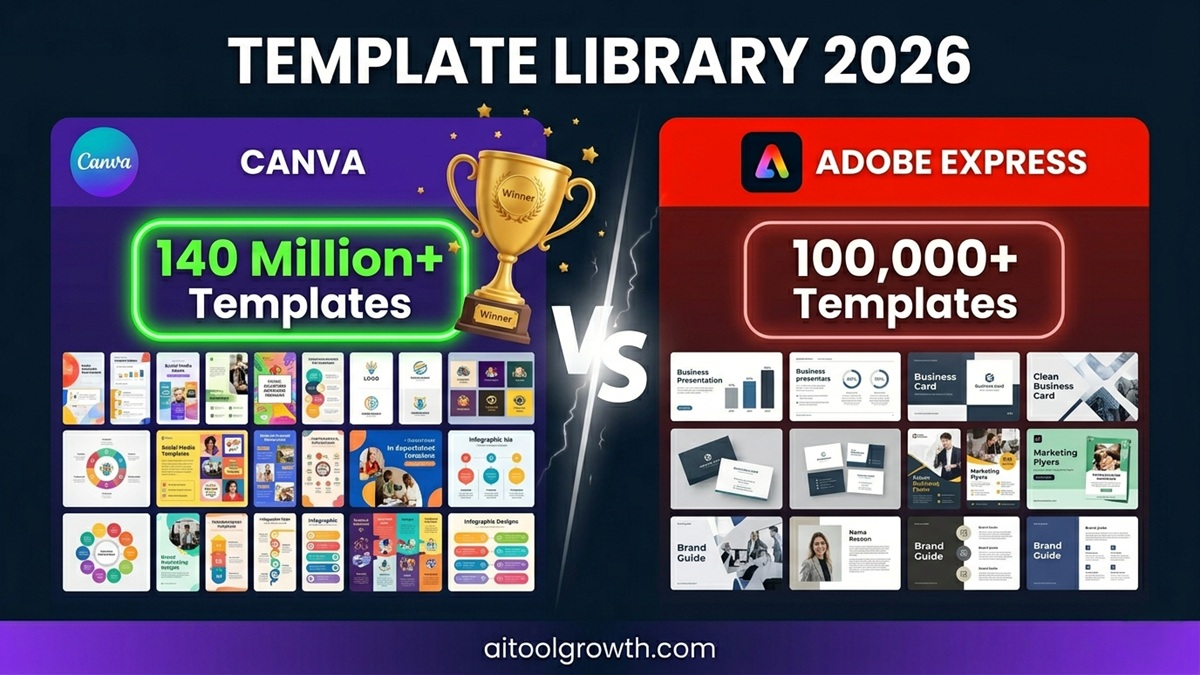 Template Library volume breakdown for 2026, comparing the visual asset depths of both platforms side-by-side.
🏆 Templates Winner: Canva
With 140M+ templates versus 100,000+, Canva’s library is not just bigger — it is more current, more varied, and better suited for the full range of content formats that bloggers and social media creators need. For Adobe ecosystem professionals, Adobe’s library is more than sufficient. For everyone else, Canva’s template breadth is a decisive advantage.
Round 2: AI Features — Magic Studio vs Adobe Firefly
2026 is the year that AI tools became the primary differentiator between design platforms. Both Canva and Adobe Express have invested heavily in their AI suites — but they approach AI very differently.
Canva Magic Studio
Canva’s Magic Studio includes:
- Magic Design: Describe what you need in plain text — Canva generates 8-10 complete professional design options in under 10 seconds. Tested on a request for “Instagram carousel about productivity tips, dark blue theme” — produced 8 genuinely polished options in 9 seconds. Each required only minor text edits.
- Magic Media (AI Image & Video Generator): Type a prompt, get a high-quality AI-generated image or short video clip directly inside the Canva editor. Output quality is excellent for social media and blog visuals. For ultra-realistic or technically complex images, Midjourney still leads — but for 90% of everyday creative needs, Magic Media produces impressive results.
- Magic Resize: Design one graphic, click Magic Resize, and Canva instantly generates correctly sized versions for every platform — Instagram, Pinterest, LinkedIn, Twitter, YouTube thumbnail, Facebook cover, and more. What previously took 45 minutes of manual resizing now takes 30 seconds. For anyone publishing across multiple platforms, this single feature alone justifies the Pro subscription.
- Magic Edit: Select any element in a photo, describe what you want to replace it with, and the AI edits the image in context. Output quality is good for marketing-grade work.
- Magic Write: Generates captions, headlines, social media copy, and blog outlines directly inside the Canva editor.
- Magic Switch: Translates text across 100+ languages while preserving design layout.
- Magic Eraser: Remove unwanted objects from photos with one click — no manual selection required.
Adobe Express AI
Adobe Express uses Adobe Firefly — Adobe’s proprietary generative AI trained exclusively on licensed Adobe Stock images and public domain content, making it one of the most commercially safe AI image generators available.
- Text to Image: Generate high-quality images from text prompts. Firefly’s output is notably strong for photorealistic images, particularly product and architectural photography. Firefly images are commercially safe by design — a significant advantage for brands and businesses with IP concerns.
- Generative Fill: Select an area in any photo and describe what to fill it with — Firefly generates contextually appropriate content that blends seamlessly with the surrounding image. The quality is genuinely impressive and competitive with Adobe Photoshop’s Generative Fill feature.
- Text Effects: Apply AI-generated artistic styles to text — making text look like it is made of fire, water, nature, specific materials, or any style described. This feature has no direct Canva equivalent.
- Text to Template: Describe a design need and Firefly generates a complete template layout with appropriate imagery and typography — similar to Canva’s Magic Design.
- AI Credits: 250 AI credits free per month on both Free and Premium plans — one of the most generous free AI credit allocations available.
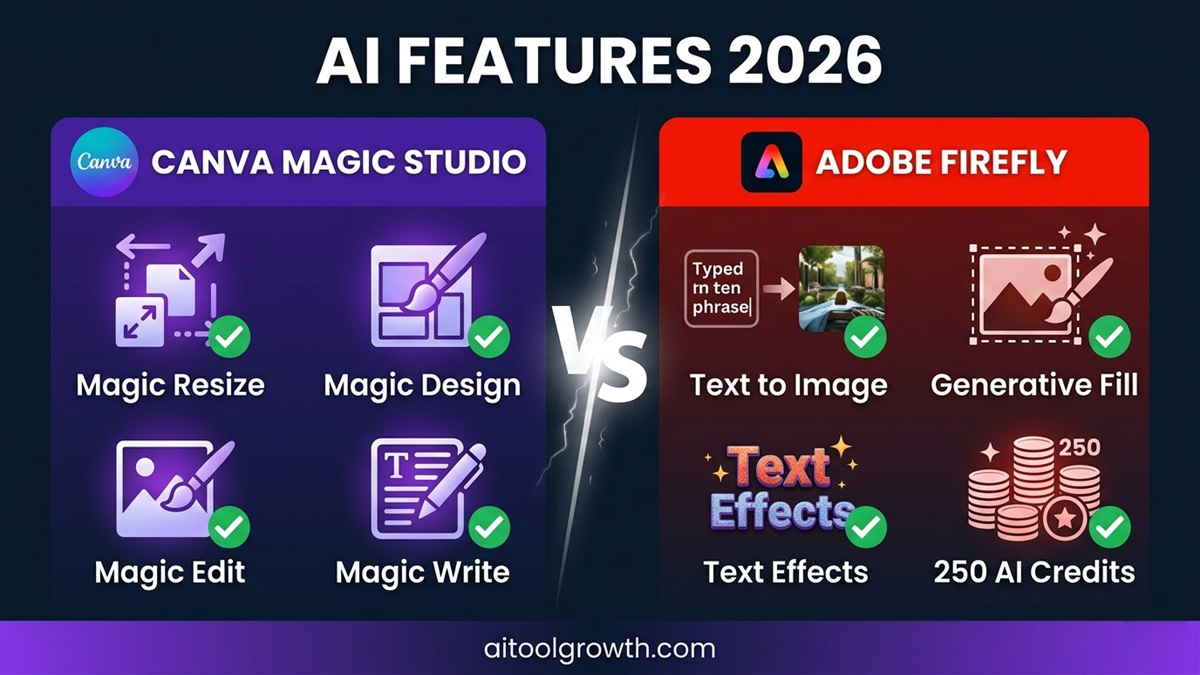 Left: Canva Magic Studio suite. Right: Adobe Firefly AI tools. Both are powerful — but serve different creative needs.
🏆 AI Winner: Tie — Different Strengths
Canva’s Magic Resize and Magic Design are more practical for high-volume content creators. Adobe Firefly’s commercial safety and Generative Fill quality are superior for professional and brand-sensitive work. The right choice depends on your use case.
Round 3: Pricing — The Full Cost Picture
Pricing is one of the most frequently misunderstood aspects of this comparison.
Canva Pricing 2026
| Plan | Price | Best For |
|---|---|---|
| Free | $0 | Casual use, testing |
| Pro | $15/mo (monthly) / ~$10/mo (annual) | Solo creators, bloggers |
| Teams | $10/user/mo (3+ users) | Small teams |
| Enterprise | Custom | Large organizations |
Adobe Express Pricing 2026
| Plan | Price | Best For |
|---|---|---|
| Free | $0 | Basic design needs |
| Premium | $9.99/mo | Individuals |
| Creative Cloud All Apps | $59.99/mo | Full Adobe suite access |
Pricing Analysis
On the surface, Adobe Express appears cheaper — $9.99/mo versus Canva’s $10/mo (annual billing). But the full cost picture is more complex:
Canva includes:
- 1 TB cloud storage (vs Adobe’s 100 GB)
- Free domain-connected website publishing
- Social media scheduling to 9 platforms
- Canva Print discounts
- Content Planner
Adobe Express requires separate subscriptions for:
- Additional cloud storage beyond 100 GB
- Access to full Adobe Creative Cloud (~$59.99/mo)
- Advanced video tools beyond Express’s capabilities
For users who already pay for Adobe Creative Cloud, Adobe Express Premium is included at no extra cost — making it genuinely free for the tens of millions of existing Creative Cloud subscribers.
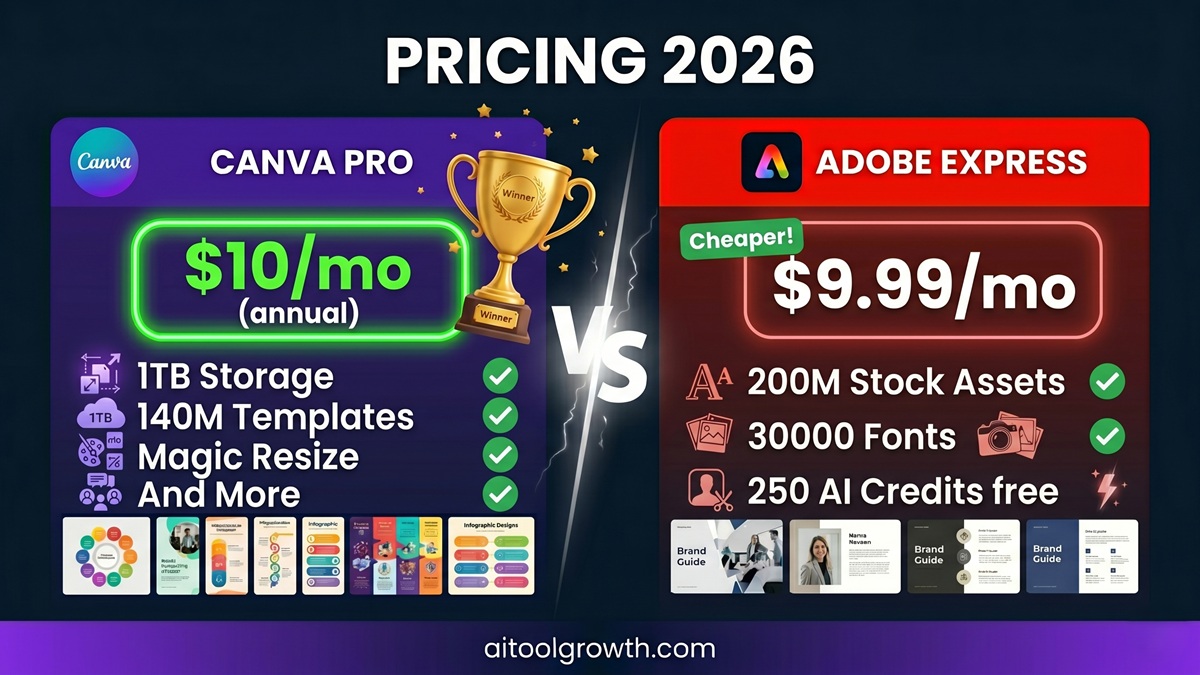 Canva vs Adobe Express pricing comparison layout — Adobe Express offers lower absolute tiering for individuals, while Canva leads on scale value.
🏆 Pricing Winner: Adobe Express (for individuals) / Canva (for teams and power users)
At face value, Adobe Express is slightly cheaper for individuals. For Adobe Creative Cloud subscribers, Express is free. For teams and users who want 1 TB storage, unlimited brand kits, and comprehensive social media tools, Canva’s value proposition is stronger.
Round 4: Asset Libraries — Stock Photos, Fonts, and Graphics
Stock Photos and Images
- Canva Pro: Access to 100M+ premium stock photos, videos, and graphics through integrations with Pexels, Pixabay, Unsplash, and Canva’s own library.
- Adobe Express Premium: Access to 200M+ Adobe Stock assets — the largest commercial stock library available on any design platform.
Adobe Stock’s library is significantly larger and the image quality skews toward professional commercial photography. For brands needing premium, rights-cleared imagery for business materials, Adobe’s library is superior.
Fonts
This is Adobe Express’s clearest individual advantage:
- Canva Pro: 3,000+ fonts
- Adobe Express Premium: 30,000+ Adobe Fonts — 10× more fonts than Canva.
For designers, typographers, or brands with specific typographic requirements, Adobe’s font library is in a completely different category. The ability to access thousands of professional, licensed Adobe Fonts directly inside Express makes it the clear choice for typography-heavy work.
Graphics and Elements
- Canva Pro: 75M+ premium graphics, icons, illustrations, and design elements.
- Adobe Express Premium: Solid library of design elements plus seamless access to Adobe Illustrator and Photoshop file formats.
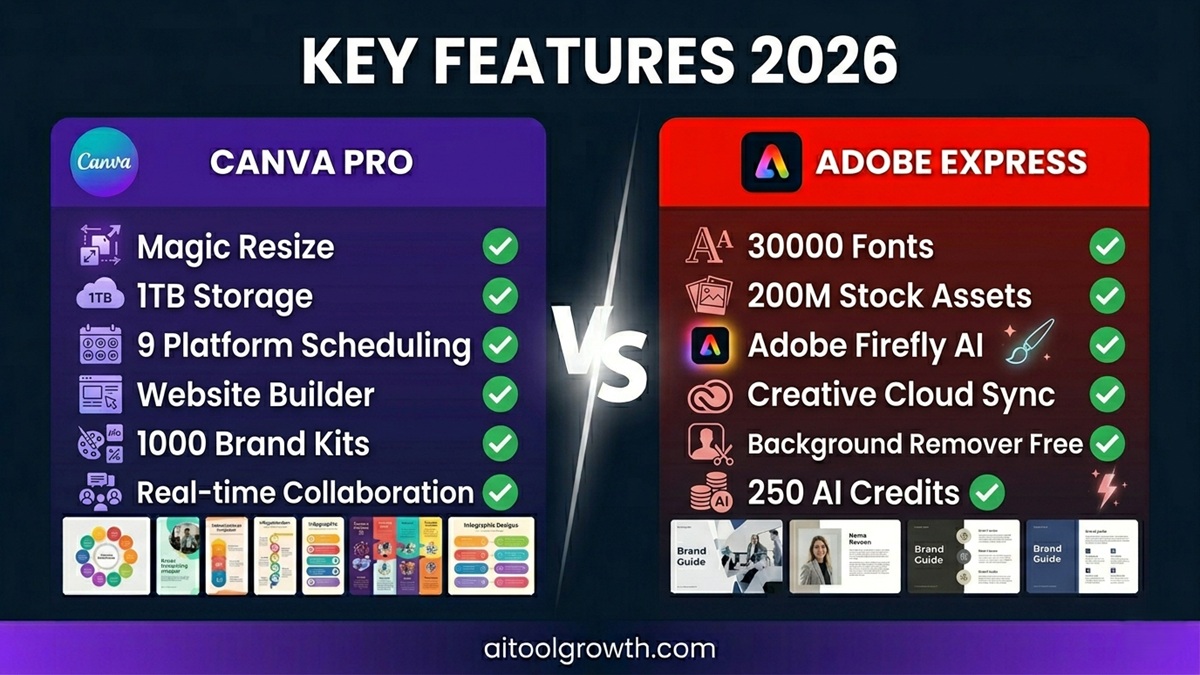 Feature matrix comparison highlighting font counts, stock volume assets, and cross-platform publishing capabilities.
🏆 Asset Winner: Adobe Express (fonts and stock photos) / Canva (graphics variety)
Round 5: Collaboration — Working With a Team
Canva Collaboration
Canva’s real-time collaboration features are among the best available in any design tool:
- Multiple team members can edit the same design simultaneously
- Real-time commenting with @mentions
- Version history — see every change ever made to a design
- Team workspaces with organized folder structures
- Brand Kit access for all team members with one click
- Approval workflows on Teams plan
- Integrations with Slack, Google Drive, Dropbox, and 600+ other apps
Canva is purpose-built for collaborative content production teams — the experience is comparable to Google Docs for design.
Adobe Express Collaboration
Adobe Express offers solid collaboration with role-based access controls — you can assign different permission levels to team members. The Creative Cloud integration means designers can pass Photoshop and Illustrator files into Express workflows seamlessly. However, real-time simultaneous editing is less fluid than Canva’s implementation.
🏆 Collaboration Winner: Canva
Canva’s collaboration infrastructure is more mature, more fluid, and more feature-complete. For teams producing content at scale, Canva’s collaborative experience is significantly better.
Round 6: Free Plans — What Do You Get at Zero Cost?
Both platforms offer genuinely useful free tiers — not just crippled demos.
Canva Free Plan
- ✅ 250,000+ free templates
- ✅ 1M+ free stock photos and graphics
- ✅ 5 GB cloud storage
- ✅ Collaboration with up to 10 people
- ✅ Basic Magic Studio AI features (limited credits)
- ❌ No background remover
- ❌ No Brand Kit
- ❌ No Magic Resize
- ❌ Limited premium templates locked behind Pro
Adobe Express Free Plan
- ✅ 100,000+ premium templates (more than Canva’s free template count)
- ✅ 1M+ Adobe Stock assets on free tier
- ✅ 250 AI credits/month — one of the most generous free AI credit allocations available
- ✅ 5 GB cloud storage
- ✅ 4,000 fonts on free tier
- ✅ Basic video editing
- ✅ Background remover included on free plan
- ❌ No full Adobe Firefly access
- ❌ Limited social scheduling (1 account)
🏆 Free Plan Winner: Adobe Express (for AI credits and background remover) / Canva (for template variety)
Adobe Express’s free tier includes 250 AI credits per month and background removal — features Canva locks behind Pro. For users who want the most capable free design tool, Adobe Express’s free plan is genuinely impressive.
Platform-Specific Strengths
Where Canva Wins
- Blog and Content Creation: Canva’s template library for blog thumbnails, Pinterest graphics, and content marketing visuals is significantly more extensive and current than Adobe’s. For bloggers specifically, Canva is the natural choice.
- Social Media Management: Canva’s Content Planner schedules to 9 social platforms from within the design editor. Adobe Express only supports 3 accounts per network on Premium.
- Website Building: Canva now includes a full website builder — design and publish landing pages, portfolios, and link-in-bio pages without leaving the platform. Adobe Express has no equivalent feature.
- Storage: 1 TB on Pro versus 100 GB on Adobe Express Premium — 10× more storage for similar pricing.
- Community and Resources: Canva’s Design School and user community are significantly larger and more active, with more tutorials, templates, and learning resources available.
Where Adobe Express Wins
- Typography: 30,000 Adobe Fonts versus Canva’s 3,000 — if typography matters to your work, there is no contest.
- Professional Photography: 200M+ Adobe Stock assets on Premium versus Canva’s 100M+ — and Adobe Stock’s quality for commercial photography is consistently higher.
- Adobe Ecosystem Integration: For users already working in Photoshop, Illustrator, or InDesign, Express’s seamless file compatibility and Creative Cloud sync are irreplaceable workflow features.
- Commercially Safe AI: Adobe Firefly is trained exclusively on licensed content — making its outputs legally cleaner for commercial use than AI tools trained on publicly scraped data.
- Price for Adobe Users: Adobe Express Premium is included in Creative Cloud subscriptions — making it genuinely free for existing subscribers.
Pros and Cons: Complete Breakdown
🟣 Canva
- ✅ Pros: 140M+ premium templates (the largest library in existence); Magic Studio AI suite (Magic Resize, Magic Design, Magic Edit, Magic Eraser, Magic Write all included); superior collaboration with simultaneous editing; 1 TB storage on Pro; Website builder included; Content Planner for 9 platforms; up to 1,000 Brand Kits on Pro; virtually zero learning curve; G2 rating of 4.7/5 across 6,847 reviews.
- ❌ Cons: More expensive than Adobe Express on annual comparison ($10/mo vs $9.99/mo); “Canva look” can feel recognizable if designs aren’t heavily customized; Background remover is restricted to the Pro plan; lacks native CMYK color profiling for high-end professional printing.
🔵 Adobe Express
- ✅ Pros: 30,000+ Adobe Fonts (10× more than Canva); 200M+ Adobe Stock assets; free for Creative Cloud subscribers; Adobe Firefly AI is commercially safe and offers exceptional Generative Fill quality; 250 free AI credits/month; Background remover included on the free plan; 4K video editing support; clean unflattened PDF export workflows.
- ❌ Cons: Smaller template library (100,000+ vs 140M+); weaker real-time collaboration tools; only 100 GB storage provided on Premium; no native website building toolkit; smaller community ecosystem with fewer custom third-party templates.
Who Should Choose Which?
✅ Choose Canva if you:
- Are a blogger, affiliate marketer, or content creator producing visuals for multiple platforms
- Need to create blog thumbnails, Pinterest graphics, or YouTube thumbnails quickly and consistently
- Work in a team and need real-time collaboration and brand consistency
- Want to schedule social media content without a separate scheduling tool
- Need maximum storage — 1 TB vs 100 GB is a meaningful difference at scale
- Are a beginner — Canva’s intuitive interface has zero learning curve
- Run a marketing agency managing multiple client brands with different visual identities
✅ Choose Adobe Express if you:
- Already pay for Adobe Creative Cloud — Express Premium is included at no extra cost
- Work in professional print design and need CMYK, unflattened PDFs, and precise typography
- Need access to 30,000+ professional fonts for brand-specific typography requirements
- Want 200M+ Adobe Stock assets for commercial photography needs
- Create AI-generated content for commercial use where legally clear training data matters
- Are a Photoshop or Illustrator user who wants a faster tool for quick social content that stays in the Adobe ecosystem
Final Verdict: Canva vs Adobe Express 2026
For most users, Canva is the stronger all-around tool thanks to its vastly larger template library, more intuitive editor, and better collaboration features. The honest take is that for specific use cases — brand-safe AI content, professional typography, or Adobe ecosystem workflows — Adobe Express is the smarter pick. For everyone else — beginners, educators, bloggers, social media managers, and small business owners — Canva remains the more practical, feature-rich, and community-supported choice.
The pricing difference is minimal. The template and collaboration advantages are with Canva. The font, stock asset, and Adobe integration advantages are with Adobe Express.
For most people reading this blog, particularly bloggers and affiliate marketers: Canva Pro is the better investment. The Magic Resize feature alone saves hours every week. The template library covers every format you will ever need. And the 1 TB storage ensures you never run out of space for your creative library.
- Canva Pro Rating: ⭐⭐⭐⭐⭐ (4.8/5)
- Adobe Express Premium Rating: ⭐⭐⭐⭐½ (4.5/5)
🏆 Our Winner: Canva Pro
Best for bloggers, creators, and teams — 140M+ templates, Magic Studio AI, 1 TB storage
🟣 Try Canva Pro Free — 30 Days 🔵 Try Adobe Express FreeFrequently Asked Questions
Q: Is Canva or Adobe Express better for beginners?
Canva is the better choice for absolute beginners. Its drag-and-drop interface, guided onboarding, and intuitive layout mean most users are creating professional designs within minutes of signing up. Adobe Express is also beginner-friendly but has a slightly steeper learning curve, particularly around its typography and Creative Cloud integration features.
Q: Is Adobe Express free?
Adobe Express has a genuinely useful free plan that includes 100,000+ templates, 1M+ Adobe Stock assets, 5 GB storage, background remover, and 250 AI credits per month. Adobe Express Premium ($9.99/mo) unlocks the full feature set. For existing Adobe Creative Cloud subscribers, Adobe Express Premium is included at no additional cost.
Q: Which is better for social media content — Canva or Adobe Express?
Canva is better for social media content creation at scale. Magic Resize converts any design to all platform-specific formats in 30 seconds. The Content Planner schedules posts to 9 platforms directly from Canva. Adobe Express supports social scheduling but is limited to 3 accounts per network on Premium. For high-volume social content, Canva’s workflow is significantly more efficient.
Q: Can I use Canva or Adobe Express for commercial projects?
Yes — both Pro/Premium plans include full commercial usage rights for all content created using their templates and assets. However, there are nuances: Adobe Firefly AI images are commercially safer because Firefly is trained exclusively on licensed Adobe Stock images. Canva’s AI images and templates are also commercially licensed, but designers working for major brands may prefer Adobe’s clearer commercial safety record.
Q: Is Canva Pro worth it in 2026?
Yes — at $10/month on annual billing, Canva Pro replaces multiple separate subscriptions: stock photography, background removal tools, social media scheduling, and an AI design tool. The Magic Resize feature alone saves hours of manual work every week for anyone publishing content across multiple platforms. For bloggers and content creators, it is one of the highest-ROI subscriptions available.
Q: Which tool has better AI features — Canva or Adobe Express?
Both have strong AI features but different strengths. Canva’s Magic Resize and Magic Design are more practical for high-volume content creation. Adobe Firefly’s Generative Fill and Text Effects are technically more impressive for professional design work. Adobe Firefly is commercially safer because it is trained on licensed content. For most bloggers and social media creators, Canva’s AI suite is more useful day-to-day.
Q: Can I switch from Adobe Express to Canva or vice versa?
Yes — both platforms allow you to download your designs in standard formats (PNG, JPG, PDF, MP4). Switching platforms means recreating your templates and brand kits in the new tool, but your finished designs are always yours to export and keep.
Related Posts
- 📖 SEMrush Review 2026 — Best SEO Platform? →
- 📖 Jasper AI Review 2026 — Is It Worth $39/Month? →
- 📖 Top 5 AI Tools for Bloggers in 2026 →
- 📖 Hostinger Review 2026 — Best Budget Web Hosting? →
- 📖 How to Start a Blog and Make Money in 2026 →
| _Last Updated: June 2026 | Data sourced from Software Advice, AI:Productivity, Versusthat, StyleFactoryProductions, Jotform Blog, PhilPallen, and G2 independent user reviews._ |